
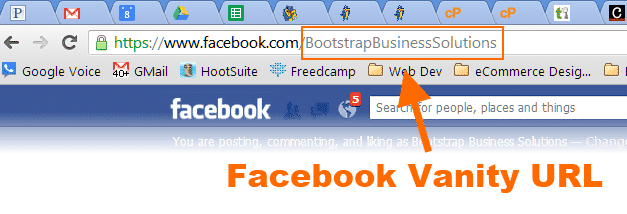
 Make your companies Facebook page memorable with a Facebook Vanity URL. A vanity URL makes is a shorter version of your Facebook URL typically with your company name in the address. It is easier to remember, and fits better on marketing materials like pens, commercials, business cards, websites, etc.
Your default Facebook company pages default address page is a forgettable (and long) combination of numbers and words.
https://www.facebook.com/pages/my-company-name/56548743621324579563324
Who in their right mind would remember that?!?! Not me! I sometimes have trouble remembering why I walked into a room! (Parenthood will do that to you). I like easy. Most people like easy. A Facebook Vanity URL makes it easy for people to remember your Facebook page.
- Go to Facebook.com/username and walk through the wizard to choose a vanity URL for you own Facebook Profile. If you already have one, skip to step 2.
- You must have admin access to the page you are making the Vanity URL for.
- Choose a username for your business page. Choose wisely! We recommend either your business name, or a commonly known appreciation in the case of a very long page name like “Fond du Lac Association of Commerce”
- You are committing to this name pretty much forever. You only get one name change for the life of the page. Again…choose wisely.
Facebook Vanity URL Restrictions
- Usernames can only include alphanumeric characters (A-Z, 0-9) or a period (.).
- You can only have one username per page.
- Your page must have at least 25 fans to establish a vanity URL. This is to prevent name squatting.
- Usernames are not transferrable or editable Choose wisely!.
- Some generic words (such as “car” or “tv”) are not available.
- If your trademarked name has already been taken, you can notify Facebook of this intellectual property infringement.
- For more FAQ, check out the Facebook Help Center.